
Beyond Data 360. Look Ahead. Move Beyond.
Power BI samples

Don't take our word for it. Click around.

Three working Power BI reports, running in your browser. Cross-filter by clicking a chart, use the slicers, drill into a date, open a visual in focus mode. No sign-in, no form, no sales call first.

Every figure, company and person in these reports is invented. They are built on generated sample data so we can show you how we work without putting a client's numbers on the internet. The modelling, DAX patterns and layout are exactly what we build in production.
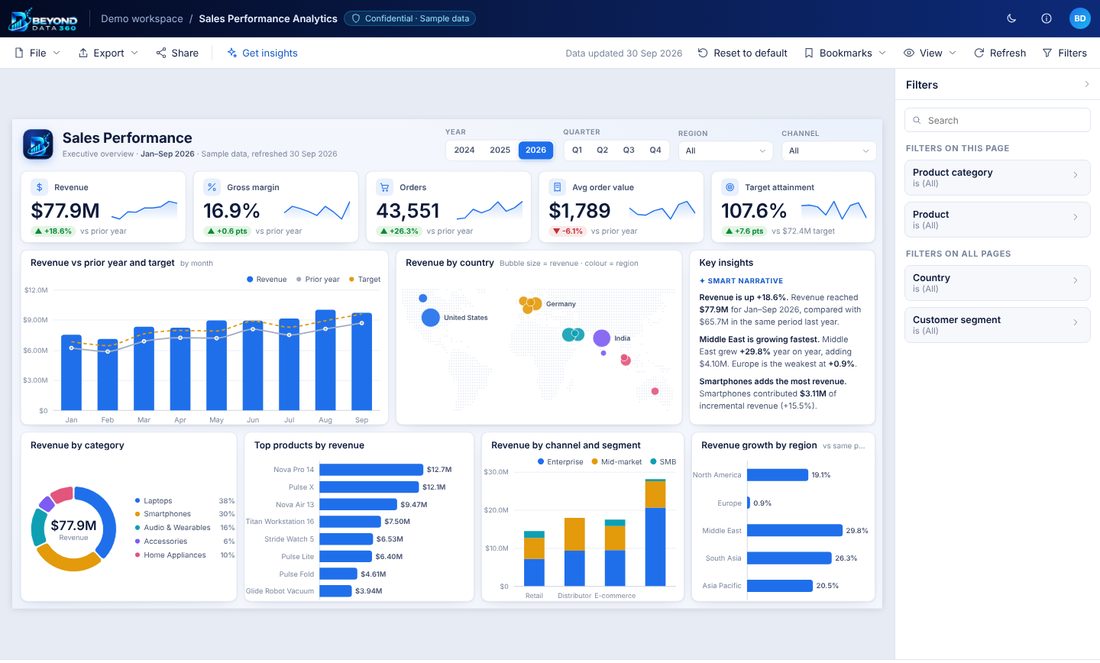
Sales Performance Analytics report — KPI cards, charts and a filters pane
Live & interactive

Sales Performance Analytics

Revenue against prior year and target, margin, order value and target attainment — then the detail underneath: performance by country, channel, category and rep, with pipeline and customer pages behind it.

Executive OverviewSales Team & PipelineCustomers & Products

Built for commercial directors who need the number and the reason behind it in the same view.

Open the report
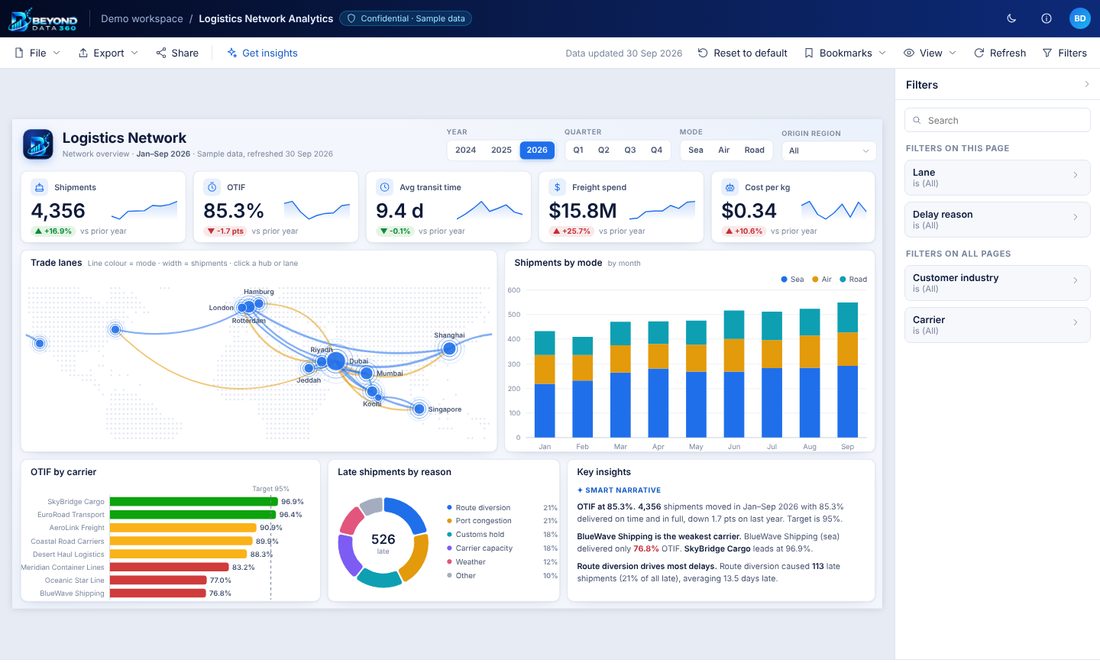
Logistics Network Analytics report — KPI cards, charts and a filters pane
Live & interactive

Logistics Network Analytics

On-time-in-full, transit time, freight spend and cost per kg across a live trade-lane map. Carrier league tables, delay-reason Pareto, and warehouse throughput on the pages behind.

Network OverviewCarrier & Lane PerformanceWarehouses & Tracking

Built for operations teams who are judged on OTIF and need to know which carrier or lane is costing them.

Open the report
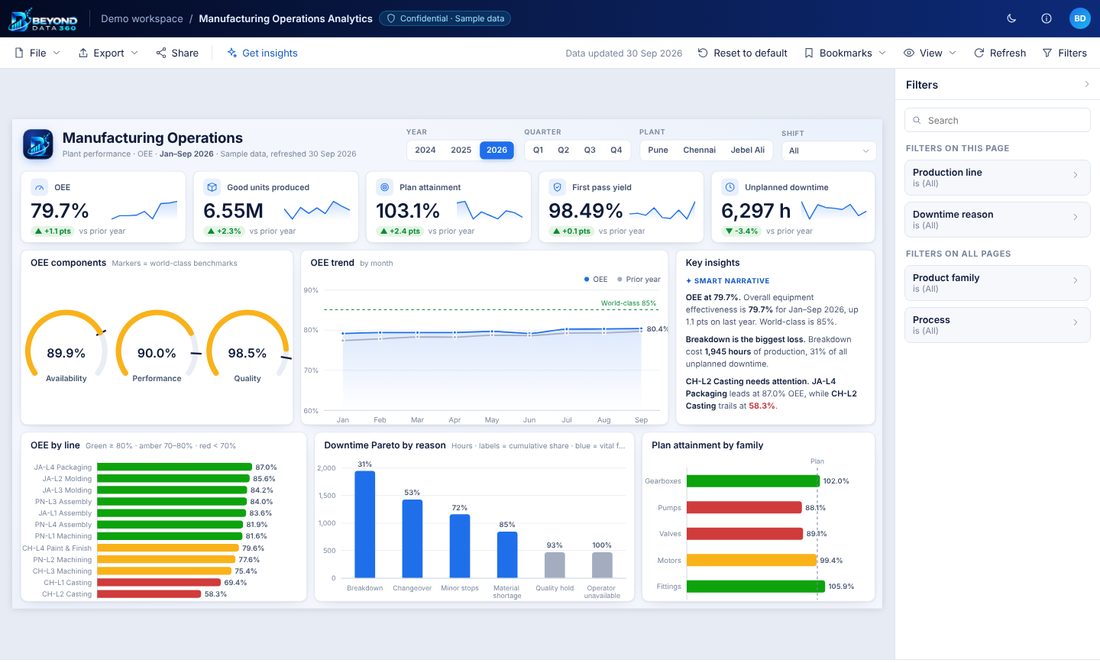
Manufacturing Operations Analytics report — KPI cards, charts and a filters pane
Live & interactive

Manufacturing Operations Analytics

OEE broken into availability, performance and quality, with plan attainment, first-pass yield and unplanned downtime. Downtime Pareto and line-level OEE show exactly where the losses sit.

Plant PerformanceQualityMaintenance & Energy

Built for plant managers who need to defend a number in the morning meeting.

Open the report
What you are actually looking at

Not screenshots. Working reports.

Cross-filtering that works

Click a bar, a slice or a country and the whole page responds, the way a real report does. That interaction is the difference between a dashboard people use and one they open once.

Measures that reconcile

Prior-year, target variance, attainment and running totals behave correctly under every filter combination. Getting that right under slicing is most of the work in a real build.

Written for the reader

Each page leads with the number someone is accountable for, then the reason behind it. Layout, grouping and colour carry meaning rather than decoration.

Your data, your tenant

In a real engagement these run on your Power BI tenant against your own sources, under your access controls and row-level security. Nothing leaves your environment.

Want one of these built on your numbers?

Thirty minutes. Tell us which systems your data sits in and what is not adding up, and we will tell you what we would build.

Book a call